


Essential Xbox Accessories for Every Gamer

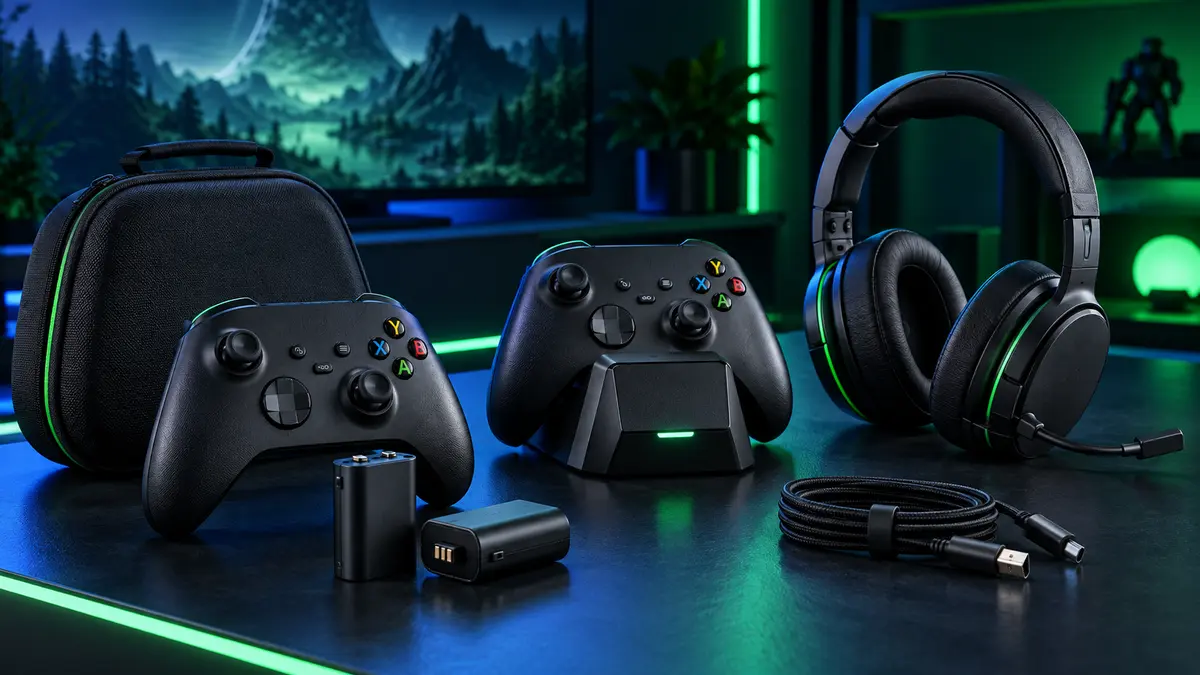
The best Xbox accessories solve small problems that interrupt gaming: empty batteries, slippery controls, tangled cables, uncomfortable headsets and unprotected controllers. You do not need to fill your desk with equipment. A few carefully chosen products can make your setup easier to use and maintain.
Know Your Xbox Console and Controller Model
Before buying an accessory, confirm whether it is designed for Xbox Series X|S, Xbox One or a particular controller generation. Many universal stands and cables work across several devices, but battery covers, charging docks, cases and grips often depend on the exact controller shape.
Read the compatibility list rather than relying on appearance. Check the connector type, battery compartment design and charging method. If an accessory includes a replacement battery cover, make sure the cover matches the controller model you own.
1. Rechargeable Battery Packs
Rechargeable battery packs reduce the need to keep disposable batteries nearby. They are especially convenient for frequent players and households with several controllers. Some packs charge inside the controller through a cable, while others are designed for a specific charging dock.
When comparing battery packs, check the supported controller model, charging input and included battery cover. A secure fit is important because loose contacts can interrupt charging. Battery-life claims can vary with vibration, headset use and game settings, so focus on reliable construction and convenient charging rather than one headline number.
2. Controller Charging Docks
A charging dock provides a permanent home for controllers. Dual docks are useful for local multiplayer or for rotating controllers between sessions. Clear status lights help you see whether a controller is charging or ready.
Choose a dock with a stable base and charging contacts that align easily. Some docks require their own rechargeable packs and battery covers, so confirm what is included. If you already own batteries, check whether the dock supports them before ordering.
3. Controller Grips and Thumb Accessories
Textured grips can improve control during competitive or fast-paced games. Silicone covers add traction and surface protection, while thumb caps change the height and feel of the analog sticks. These accessories are inexpensive, removable and easy to test.
A good grip should not cover the battery compartment, headphone port or important buttons. Thumb caps should stay secure through full stick movement. If you switch between different game genres, consider a set with more than one texture or height.
4. Gaming Headsets and Audio Accessories
A headset is useful for multiplayer chat, late-night gaming and directional audio. Check whether the headset uses a wired controller connection, USB connection or wireless system. Comfort matters as much as sound: look for adjustable fit, breathable ear cushions and a microphone that can be positioned clearly.
For wired headsets, route the cable so it does not pull against the controller. A headset stand or under-desk hook keeps the headset protected between sessions and helps the ear cushions retain their shape.
5. Controller Cases and Storage
Controllers are easy to damage in a backpack because pressure can affect the sticks and triggers. A molded storage case supports the controller and creates a barrier between it and other items. Look for a smooth lining, secure zipper and enough space for a short charging cable without pressing the controls.
At home, a controller holder keeps equipment off the floor and prevents cables from becoming tangled. Wall-mounted holders can save desk space, but they should be installed securely and positioned where the controller can be removed without hitting nearby objects.
6. Cable Management and USB Accessories
Charging cables, headset cables and external storage connections can quickly become untidy. Use reusable cable ties, clips or sleeves to separate them. Short cables work well around charging docks, while longer cables are useful for sofa play.
Do not place excessive tension on USB ports. Leave a small amount of slack and avoid sharp bends near the connector. Labeling similar cables can also prevent the wrong cable from being packed or disconnected.
Build an Xbox Accessory Kit by Play Style
For Everyday Home Gaming
Start with a rechargeable battery pack, dual charging dock and simple headset stand. This combination keeps the most-used equipment powered and organized.
For Competitive Gaming
Prioritize controller grips, thumb caps, a comfortable headset and tidy cable routing. Small comfort improvements can be more useful than large decorative accessories.
For Travel
Use a molded controller case, compact charging cable and protected battery storage. Keep loose adapters away from the sticks and triggers.
Xbox Accessory Buying Checklist
- Confirm the exact controller and console generation.
- Check whether rechargeable packs and covers are included.
- Verify the charging connector and required power source.
- Choose grips that leave buttons and ports accessible.
- Protect sticks and triggers during travel.
- Select cable lengths based on the actual distance to the charger or console.
Frequently Asked Questions
Are rechargeable battery packs worth buying?
They are convenient for regular players and can reduce ongoing battery purchases. Choose a pack designed for your controller and follow the supplied charging instructions.
Can one charging dock work with every Xbox controller?
Not always. Charging contacts and battery covers may differ between controller generations. Check the dock’s compatibility list and included parts.
Do controller grips affect wireless performance?
A correctly designed grip should not affect normal use. Avoid products that cover ports, buttons or pairing controls, and make sure the material fits securely.
What is the best way to protect a controller while traveling?
Use a molded hard or semi-hard case that supports the controller body and prevents pressure on the analog sticks and triggers.
Create a More Reliable Xbox Setup
Begin with power and protection, then add comfort and organization. A reliable rechargeable system, protected controller and comfortable headset will improve more gaming sessions than accessories chosen only for appearance. Explore our Xbox accessories for practical charging, storage and controller solutions.
Compatibility note: Product names are used to describe device compatibility. Always confirm the exact model before purchase.